يقدم MetaDefender الإصدار 2.6.0 تحسينات مهمة في مجالات إدارة المجموعات، وقدرات التكامل، والأداء، وتعزيز الأمان. وسواء كنت تدير نظامًا موزعًا واسع النطاق أو تسعى إلى تشديد الرقابة التشغيلية، فإليك أحدث المستجدات.
ميزات جديدة
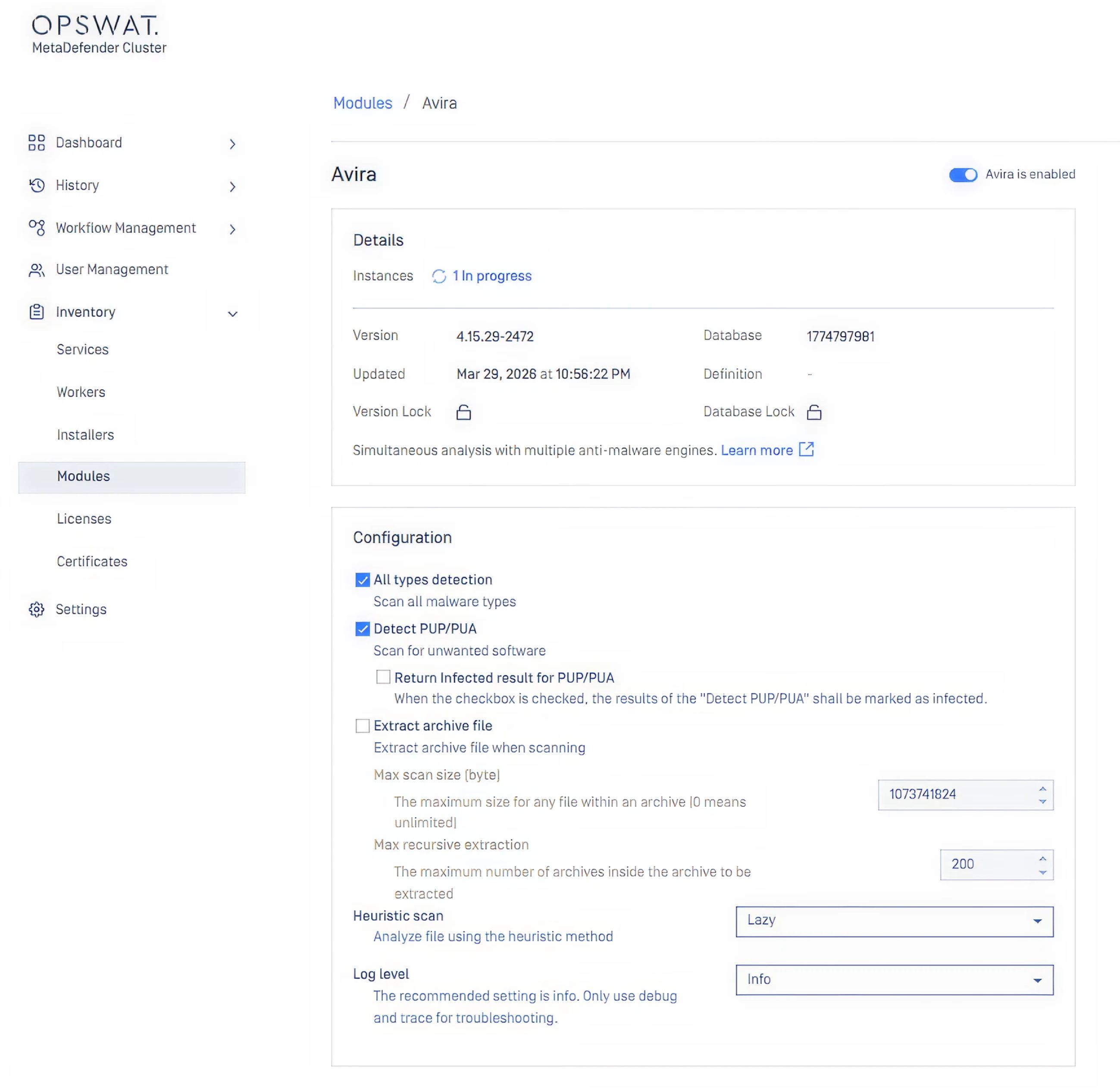
تتيح ميزة التكوين المركزي للمحرك إدارة جميع مثيلات MetaDefender Core™ من مكان واحد
يمكن لمسؤولي النظام الآن تمكين المحركات أو تعطيلها أو إزالتها في جميع MetaDefender Core من موقع واحد في MetaDefender . يتم مزامنة أي تغييرات يتم إجراؤها مركزيًا تلقائيًا عبر جميع المثيلات. بالنسبة لمديري تكنولوجيا المعلومات الذين يديرون عمليات نشر موزعة، فإن هذا يلغي الحاجة إلى تكوين كل مثيل على حدة ويقلل بشكل كبير من مخاطر عدم اتساق السياسات عبر المجموعة.
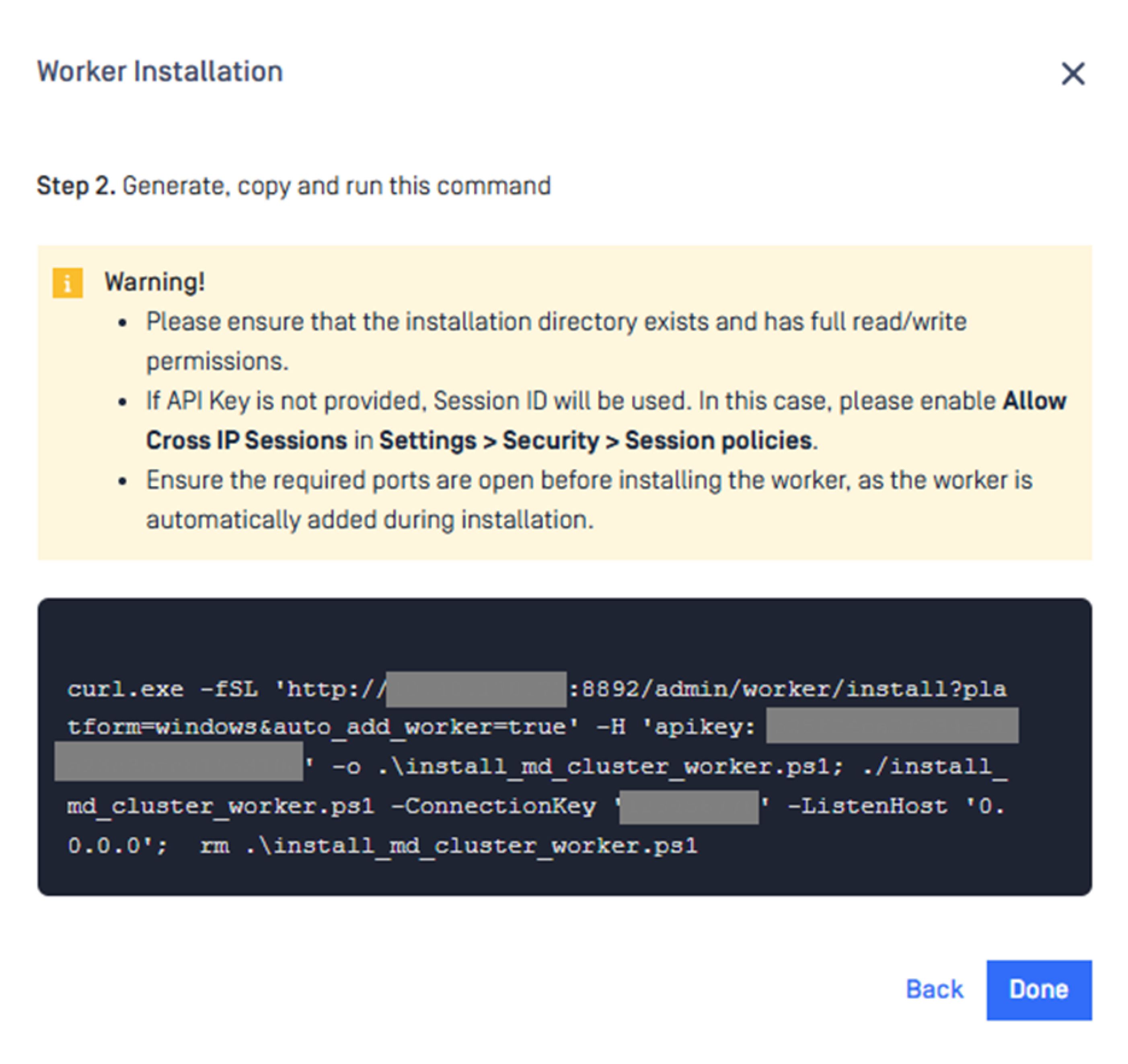
تثبيت برنامج "Cluster Worker" بطريقة مبسطة
أصبح "Cluster Worker" الآن مدمجًا مع "Cluster Control Center". يمكن للمستخدمين تثبيت "Cluster Worker" من خلال برنامج نصي واحد متاح مباشرةً في "Control Center"، مما يلغي عملية الإعداد متعددة الخطوات التي كانت تتطلب معالجة منفصلة في السابق. وبالنسبة للفرق التي تعمل على نشر بيئة المجموعات أو توسيع نطاقها، فإن هذا يمثل تخفيضًا مباشرًا في التكاليف التشغيلية.
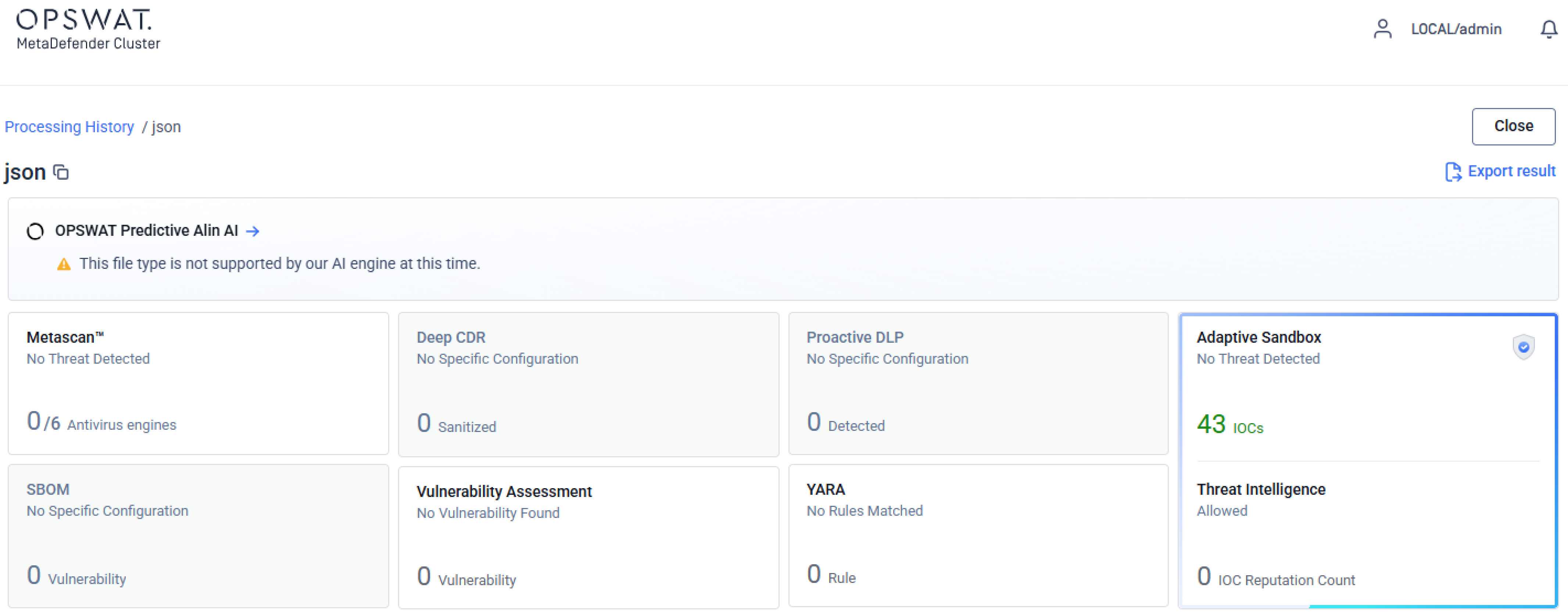
تكامل MetaDefender Aether™ يوسع نطاق الكشف عن هجمات "اليوم صفر"
أصبح MetaDefender الآن متكاملًا مع MetaDefender مما يتيح إدخال ميزة الكشف عن هجمات "اليوم صفر" المدعومة بالذكاء الاصطناعي في مسار معالجة المجموعة. ويتيح ذلك للمؤسسات توسيع نطاق قدرات تحليل التهديدات المتقدمة لتشمل بيئات معالجة الملفات الموزعة دون الحاجة إلى إجراء تغييرات إضافية في البنية التحتية.
يمتد الضغط الموزع ليشمل عدةCore من MetaDefender Core
أصبح إنشاء ملفات الأرشيف عبر الضغط الموزع مدعومًا الآن عبر عدةCore MetaDefender Core داخل المجموعة. ويؤدي ذلك إلى توسيع نطاق ما يمكن للمجموعة معالجته على نطاق واسع، كما يحسّن من استغلال الموارد في سير العمل الذي يتضمن إنتاج ملفات الأرشيف.
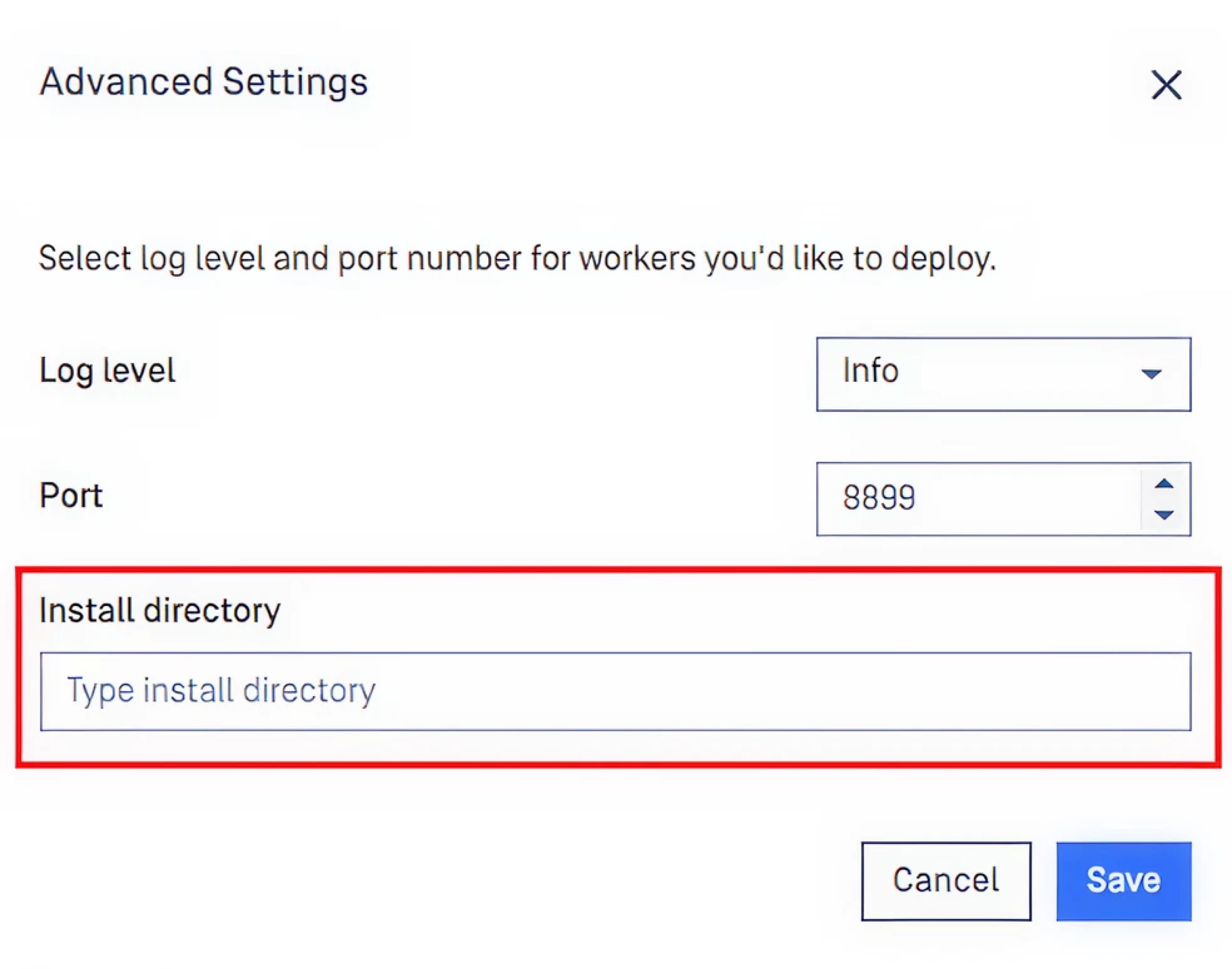
يدعم دليل التثبيت المخصص مرونة في عملية النشر
يمكن للمستخدمين الآن تحديد مجلدات تثبيت مخصصة عند نشر المثيلات عبر Cluster Worker، بما في ذلك MetaDefender Core MetaDefender API وCallback Service. وبالنسبة للمؤسسات التي لديها متطلبات محددة تتعلق بالبنية التحتية أو الامتثال فيما يخص تخطيط نظام الملفات، فإن هذا يزيل القيد السابق الذي كان يُجبر عمليات النشر على استخدام المسارات الافتراضية.
تحسينات رئيسية
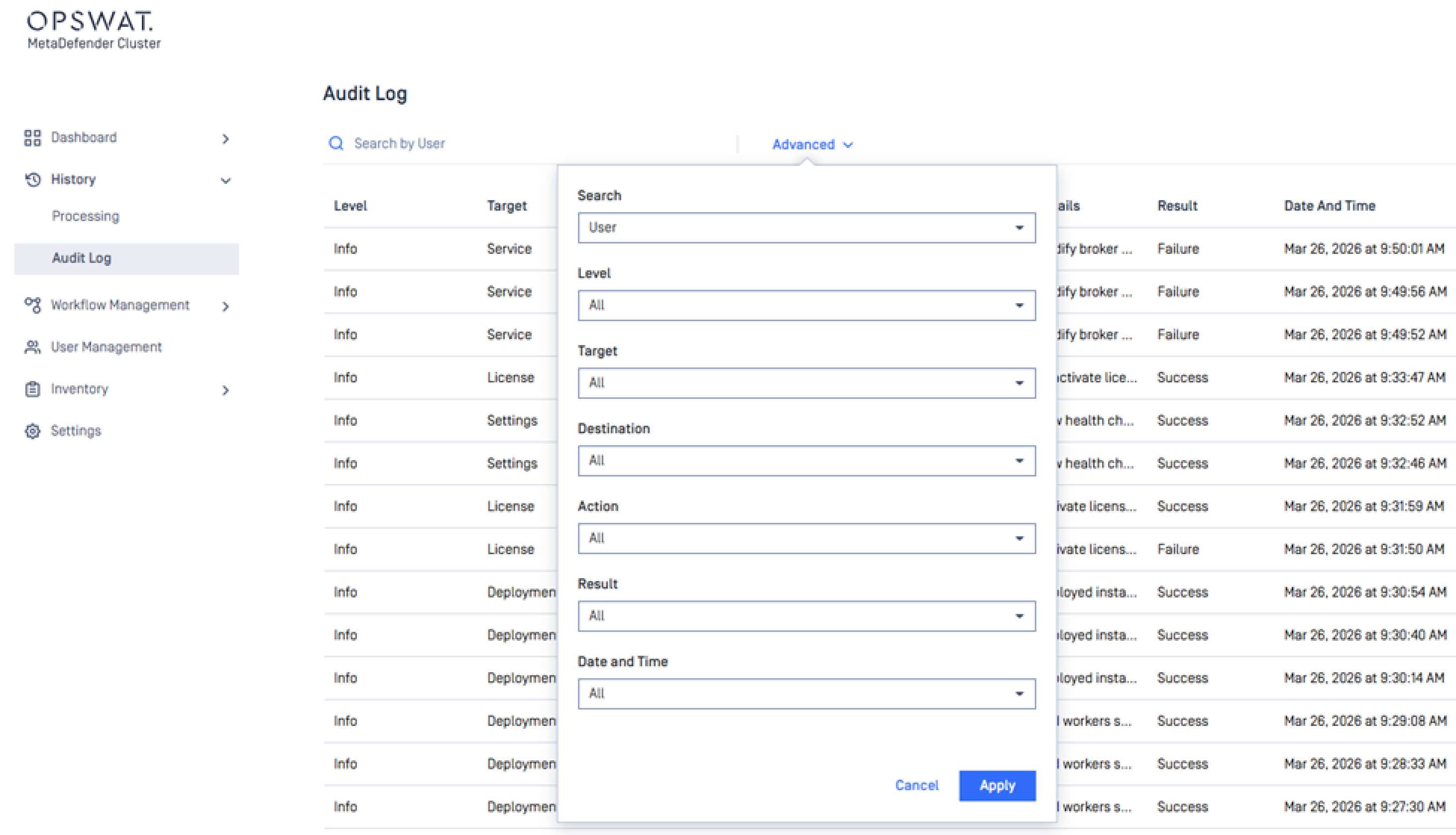
أصبح البحث والتصفية في سجل التدقيق يدعمان الآن معايير متعددة
يمكن للمستخدمين الآن البحث في سجل التدقيق وتصفيته باستخدام معايير متعددة في آن واحد، بما في ذلك الوجهة والإجراء المتخذ والتاريخ والوقت. وبالنسبة لمسؤولي الامتثال وفرق الأمن الذين يعتمدون على سجلات التدقيق في التحقيقات أو إعداد التقارير التنظيمية، فإن هذا يجعل عملية استرجاع السجلات الصحيحة أسرع بكثير.
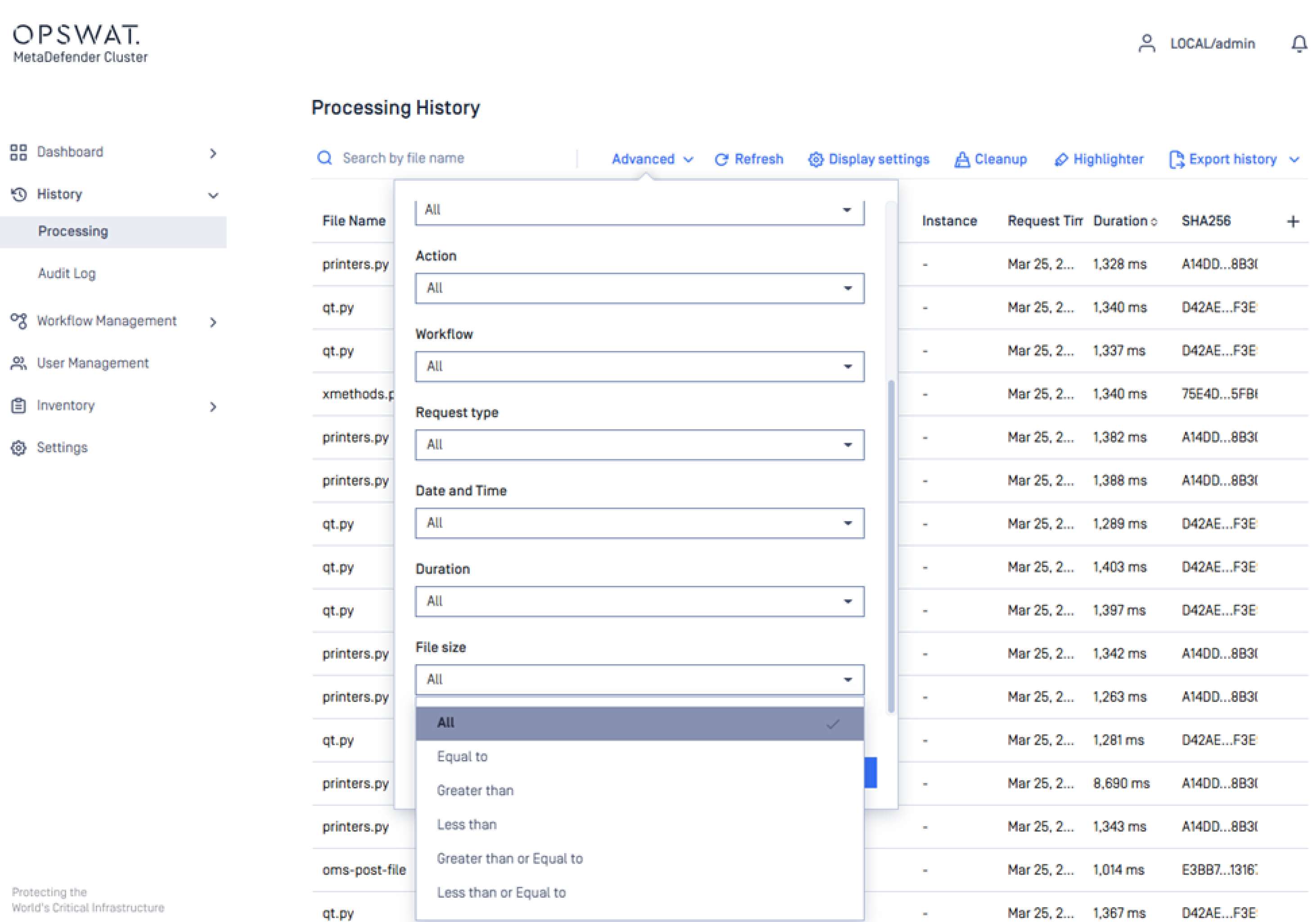
أصبح بإمكان "سجل المعالجة" الآن التصفية حسب حجم الملف
أصبح عرض سجل المعالجة يتضمن الآن مرشحًا لحجم الملف، مما يسهل تضييق نطاق البحث عن السجلات وتحديد أنشطة المسح ذات الصلة. ويعد هذا الأمر مفيدًا بشكل خاص في البيئات ذات الحجم الكبير، حيث كان تصفح سجلات المعالجة الضخمة دون مرشحات دقيقة يمثل عقبةً في السابق.
يوفر تخزين الملفات المجمّع سرعات تحميل وتنزيل أعلى
تعمل طبقة تخزين الملفات MetaDefender التي تم إعادة تصميمها، على تحسين سرعات تحميل الملفات وتنزيلها بين النظام والعملاء. وبالنسبة للمؤسسات التي تعالج كميات كبيرة من الملفات عبر بنية تحتية موزعة، فإن ذلك يُترجم مباشرةً إلى إنتاجية أفضل وتجربة أكثر استجابة للتطبيقات والتكاملات المتصلة.
استرجاع التقارير التنفيذية بسرعة أكبر
تم تحسين عملية إنشاء التقارير التنفيذية بحيث تعرض النتائج بسرعة أكبر. وبالنسبة للمسؤولين عن الأمن والامتثال الذين يعتمدون على لوحة المعلومات التنفيذية في عمليات المراقبة وإعداد التقارير الروتينية، فإن ذلك يقلل من وقت الانتظار ويساعد على تسريع دورات اتخاذ القرار.
إعادة تصميم تدفق الاستخراج الموزع لتحقيق الاستقرار والكفاءة
تم إعادة تصميم تدفق الاستخراج الموزع بهدف الاستفادة بشكل أفضل من موارد النظام. وبالإضافة إلى تحسين الأداء، تعالج إعادة التصميم أيضًا مسألة الاستقرار، مما يقلل من احتمالية حدوث انقطاعات أثناء عمليات الاستخراج التي تتطلب أحمالًا عالية.
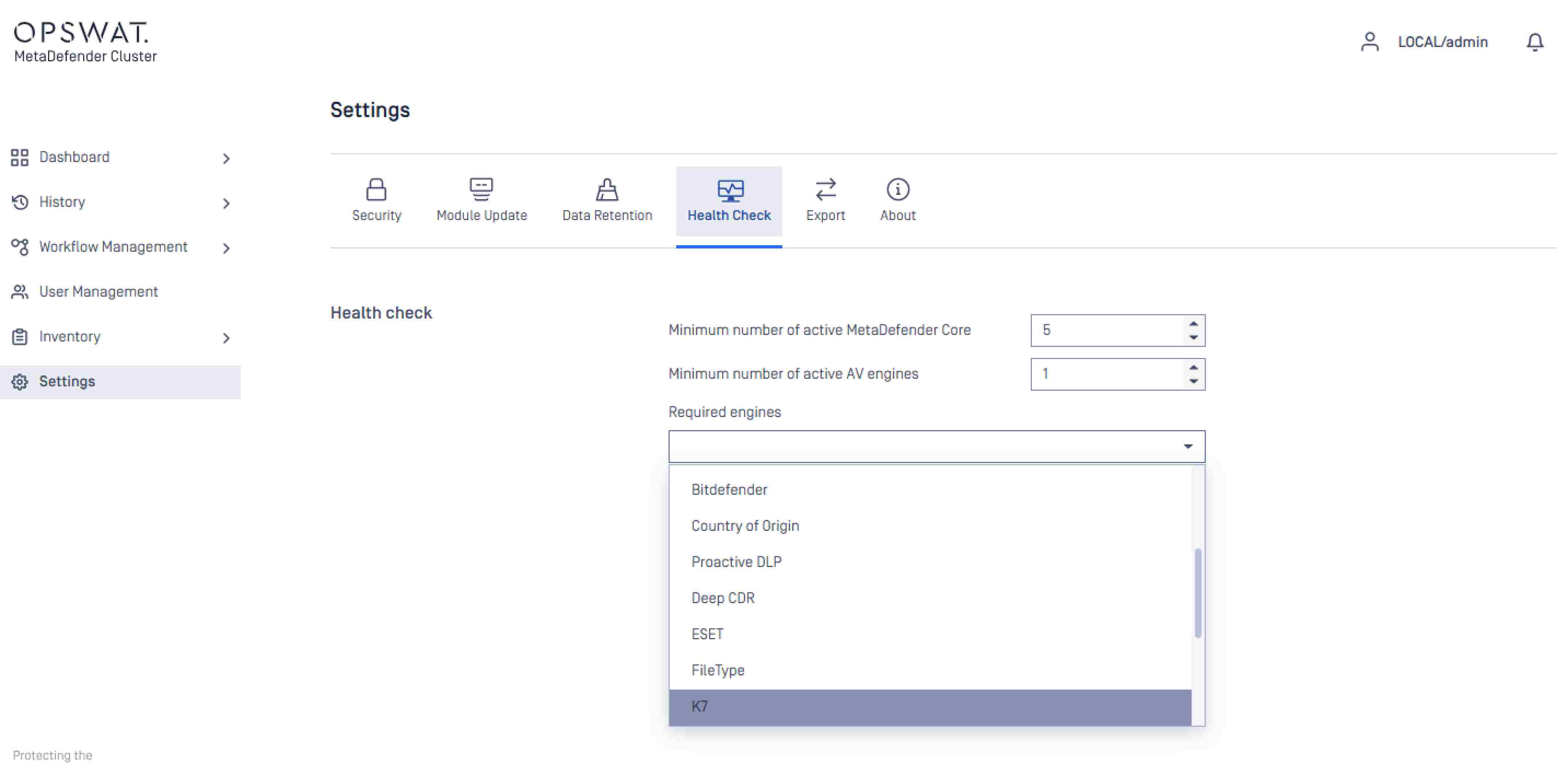
تتيح المتطلبات الدنيا القابلة للتكوين للمحرك والمثيل للمسؤولين تحكماً أكثر دقة
يمكن للمسؤولين الآن تكوين الحد الأدنى لعددCore MetaDefender Core النشطة، ومحركات مكافحة الفيروسات النشطة، والمحركات المحددة المطلوبة التي يجب أن تكون متاحة قبل أن يبدأ النظام في معالجة الملفات. ويتيح ذلك للفرق التحكم المباشر في عتبات جاهزية النظام، ويمنع استمرار معالجة الملفات في حالة ضعف الأداء دون علم المسؤول.
الخطوات التالية
هل أنت مستعد لبدء استخدام MetaDefender الإصدار 2.6.0؟ اطلع على هذه الموارد المفيدة:
- تعرف على المزيد عن MetaDefender
- الترقية إلى MetaDefender الإصدار 2.6.0
- ملاحظات إصدار الوصول
هل لديك أسئلة؟ تواصل معنا عبر البريد الإلكتروني opswat

