OPSWAT أن تعلن عن إصدار MetaDefender Drive .4.0. يوفر هذا الإصدار تحكمًا متقدمًا في تحديد موثوقية الأجهزة ويدمج تقنية Predictive Alin AI، مع خاصية الكشف عن التهديدات باستخدام الذكاء الاصطناعي، في جميع مستويات المحرك، مما يتيح تحسين الأمان للأجهزة المؤقتة في البيئات المعزولة.
تحديد الأجهزة غير الآمنة بناءً على السياسة
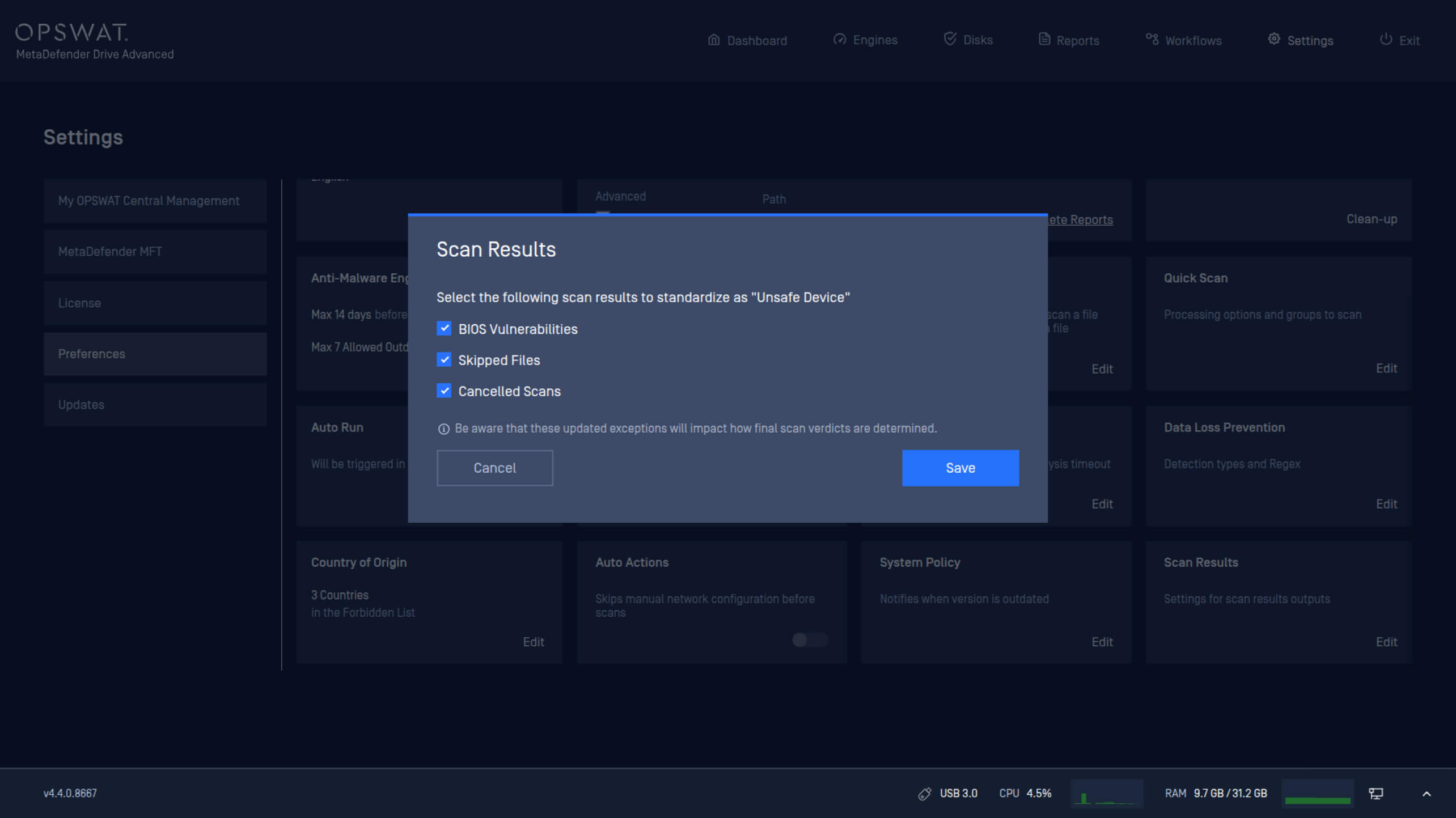
تتطلب لوائح البنية التحتية الحيوية معايير متنوعة لتحديد ما إذا كان يجب الوثوق بجهاز ما قبل توصيله بأنظمة حيوية داخل مناطق معزولة. يقدم هذا الإصدار إعدادات سياسة جديدة تمكّن المسؤولين من تحديد شروط تصنيف جهاز ما على أنه غير آمن.
يمكنDrive MetaDefender Drive الآن تكوين سياسات أمان الأجهزة استنادًا إلى:
- حالة BIOS.
- الملفات التي تم تخطيها أثناء الفحص.
- عمليات المسح الملغاة.
تمكين الذكاء الاصطناعي التنبئي عبر جميع مستويات المحرك
يدمجDrive تقنية Predictive Alin AI في جميع مستويات المحرك. ويأتي مزودًا بقدرة على توقع النتائج قبل التنفيذ من أجل كشف التهديدات بشكل أعمق وأكثر دقة. يساعد هذا الدمج في الكشف عن الملفات الضارة على الأجهزة المؤقتة قبل توصيلها بالأنظمة الحيوية.
إعادة تنشيط الترخيص لتمكين الذكاء الاصطناعي التنبئي Alin AI
لتفعيل Predictive Alin AI، يلزم إعادة تنشيط الترخيص.
إعادة التنشيط علىMetaDefender Drive
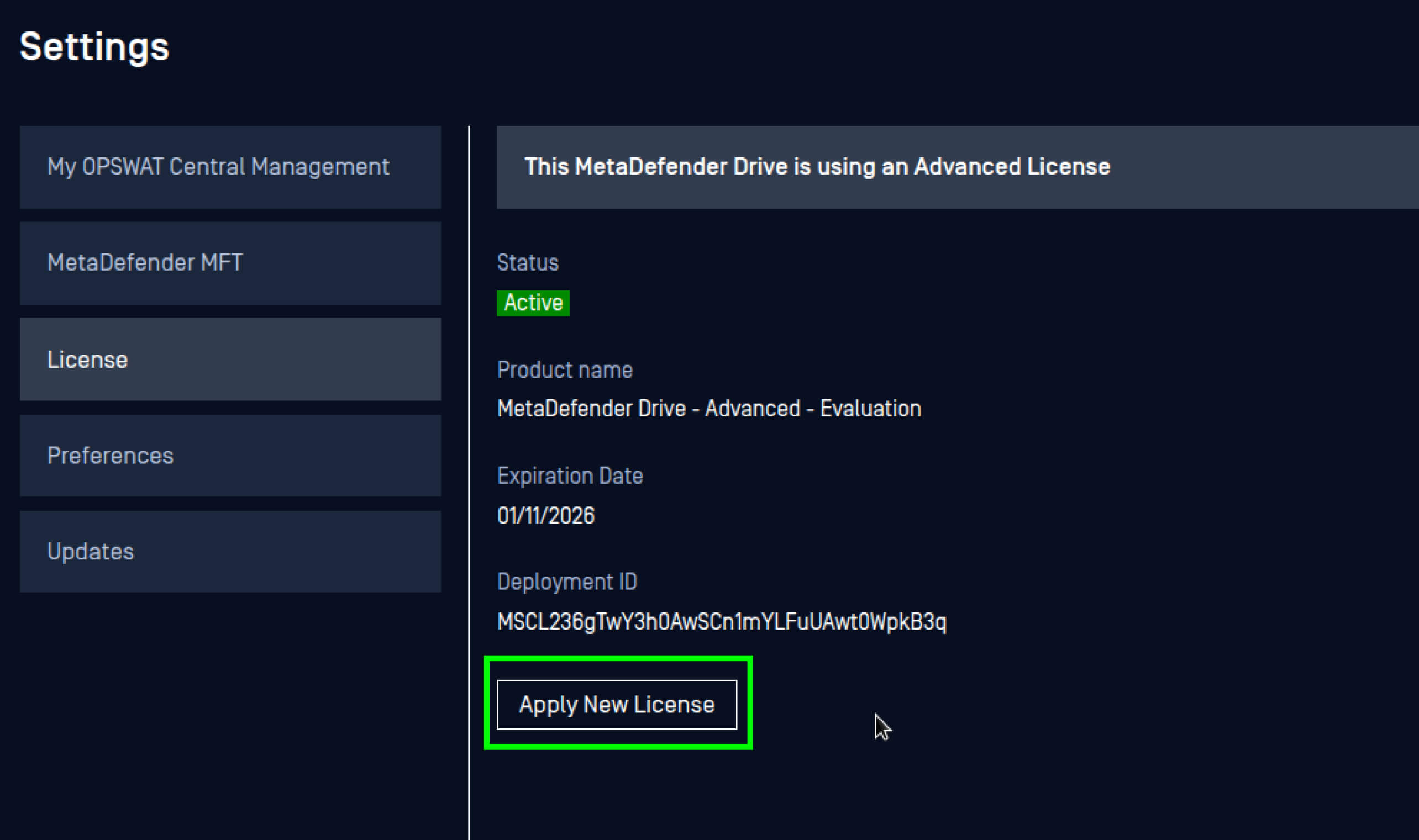
- انتقل إلى الإعدادات، ثم التفضيلات، وافتح إعدادات الترخيص.
- انقر فوق " تطبيق ترخيص جديد".
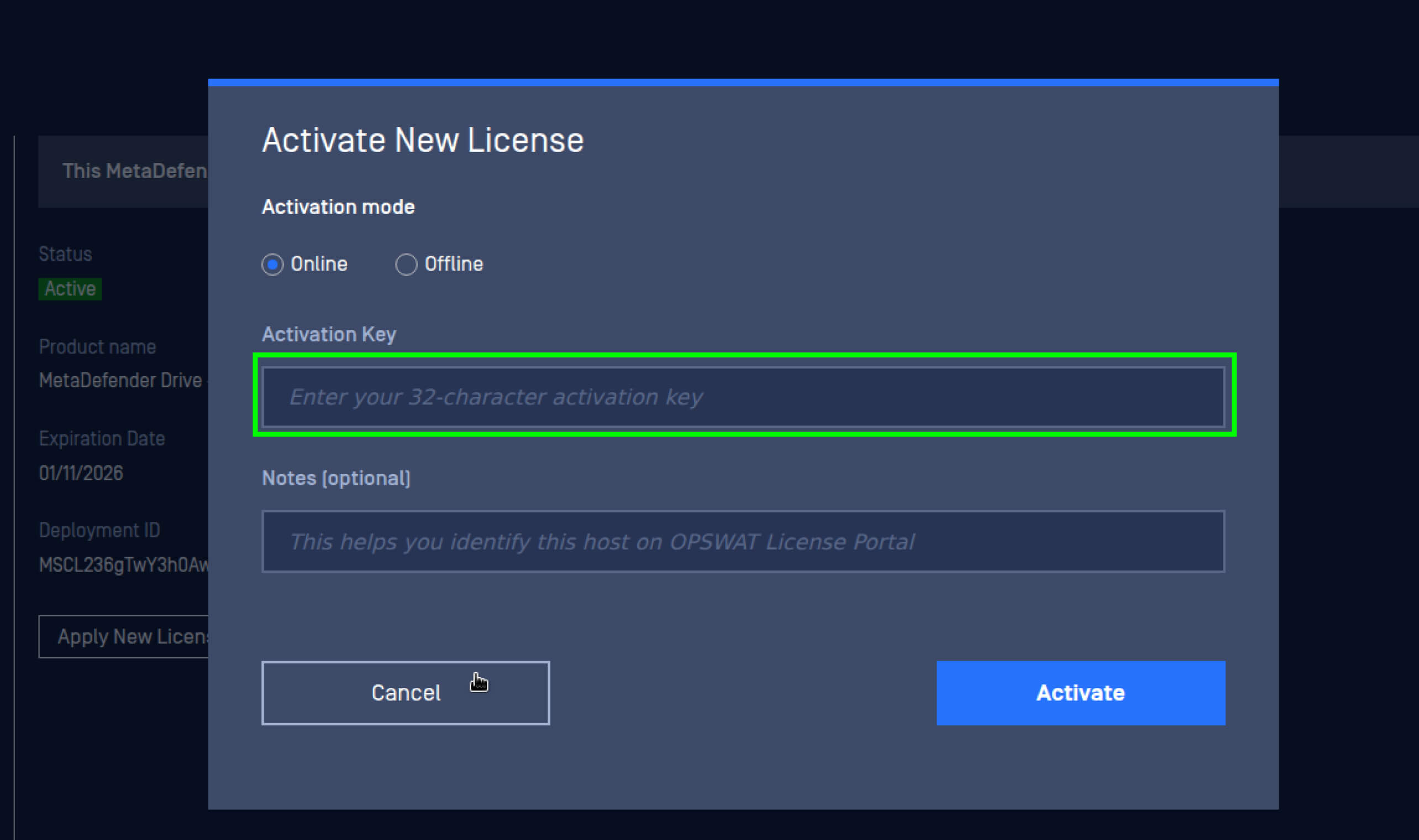
3. أدخل مفتاح الترخيص الجديد، ثم انقر فوق "تنشيط".
إعادة التنشيط علىMetaDefender Drive Smart Touch
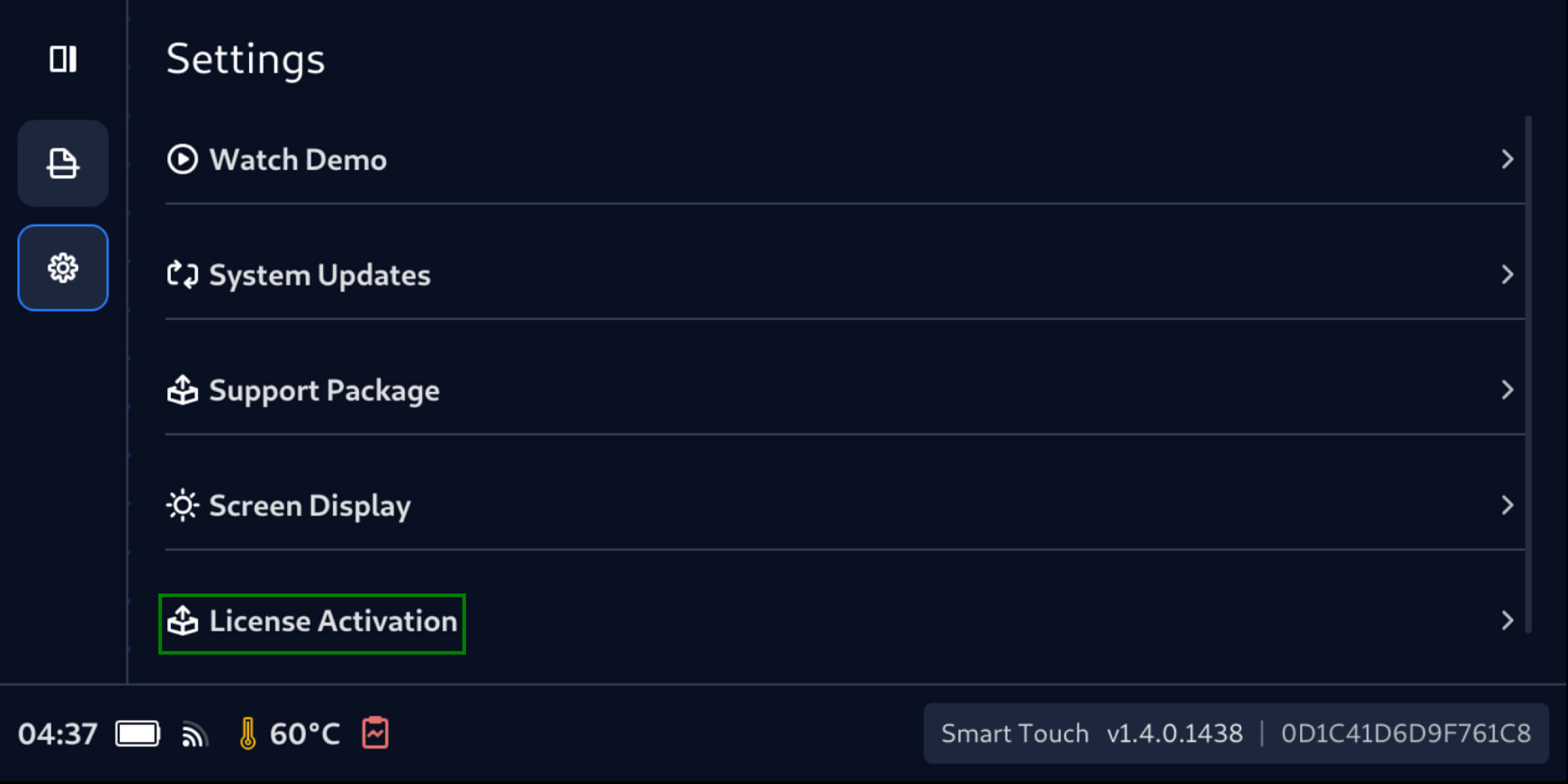
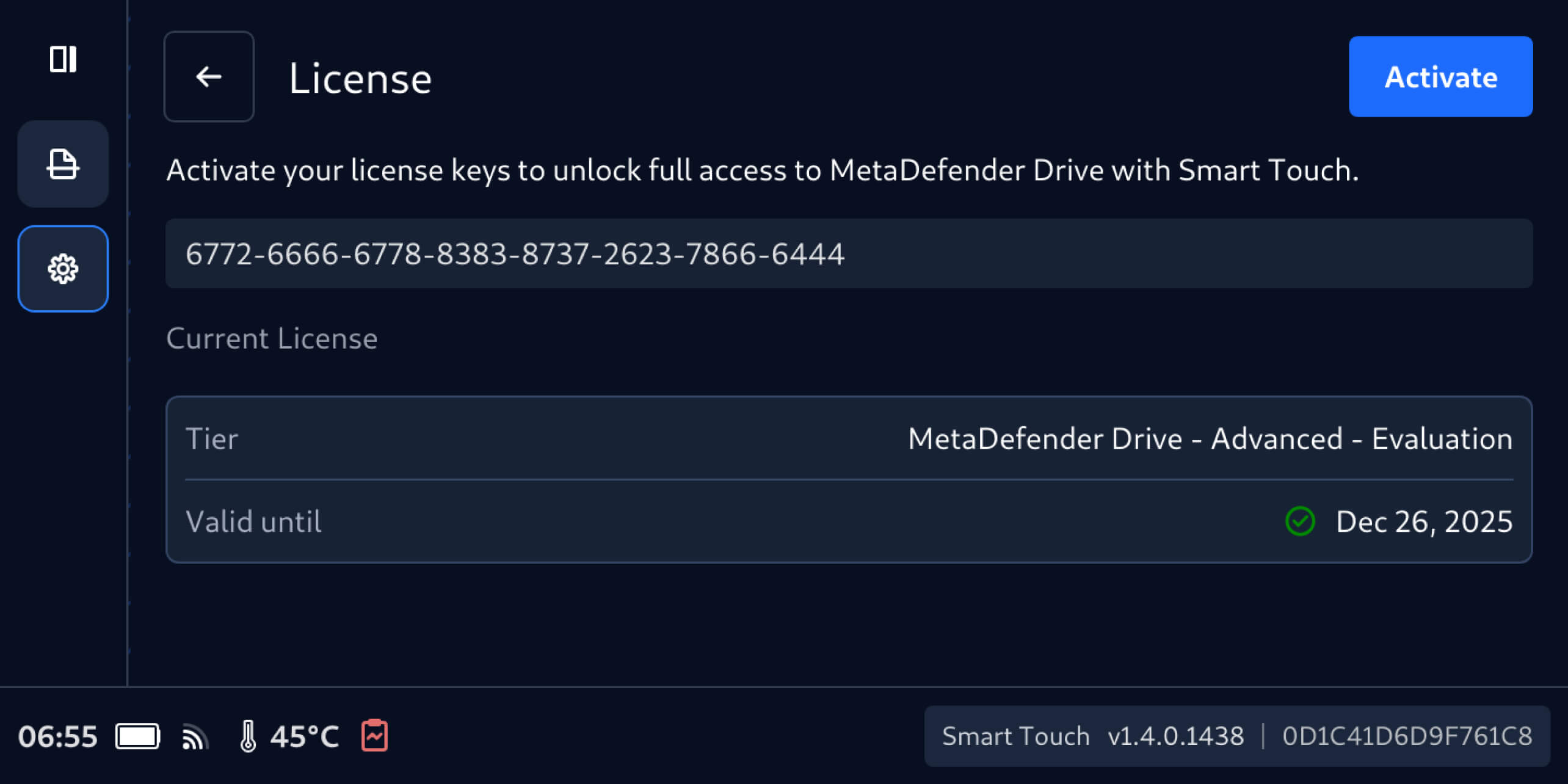
- انتقل إلى الإعدادات، ثم تنشيط الترخيص.
2. في شاشة الترخيص، أدخل مفتاح الترخيص الجديد، ثم انقر فوق "تنشيط".
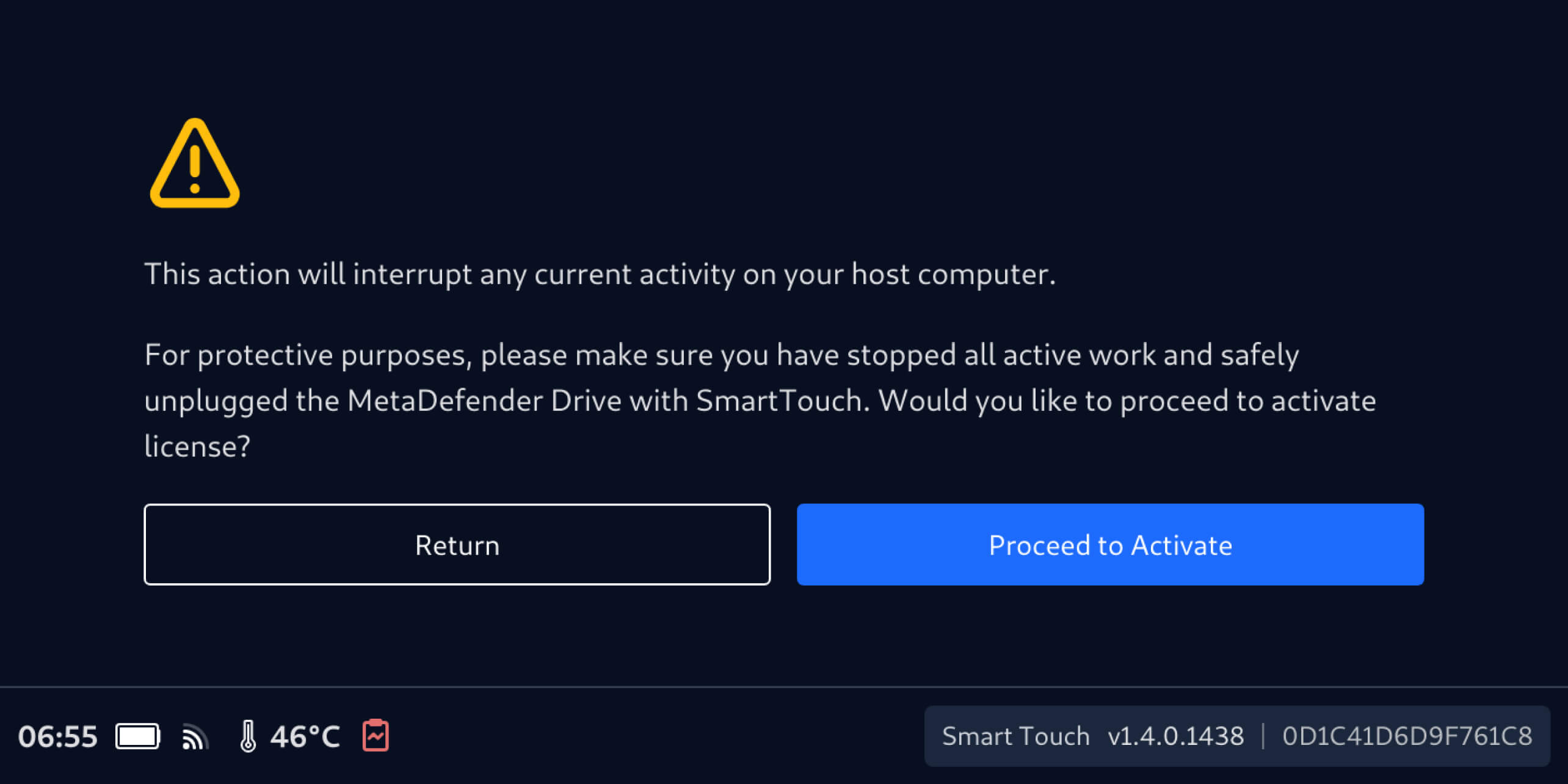
3. تأكد من أن MetaDefender Drive Smart Touch لا يقوم بأي عملية فحص على الجهاز المضيف، ثم انقر فوق "المتابعة إلى التنشيط".
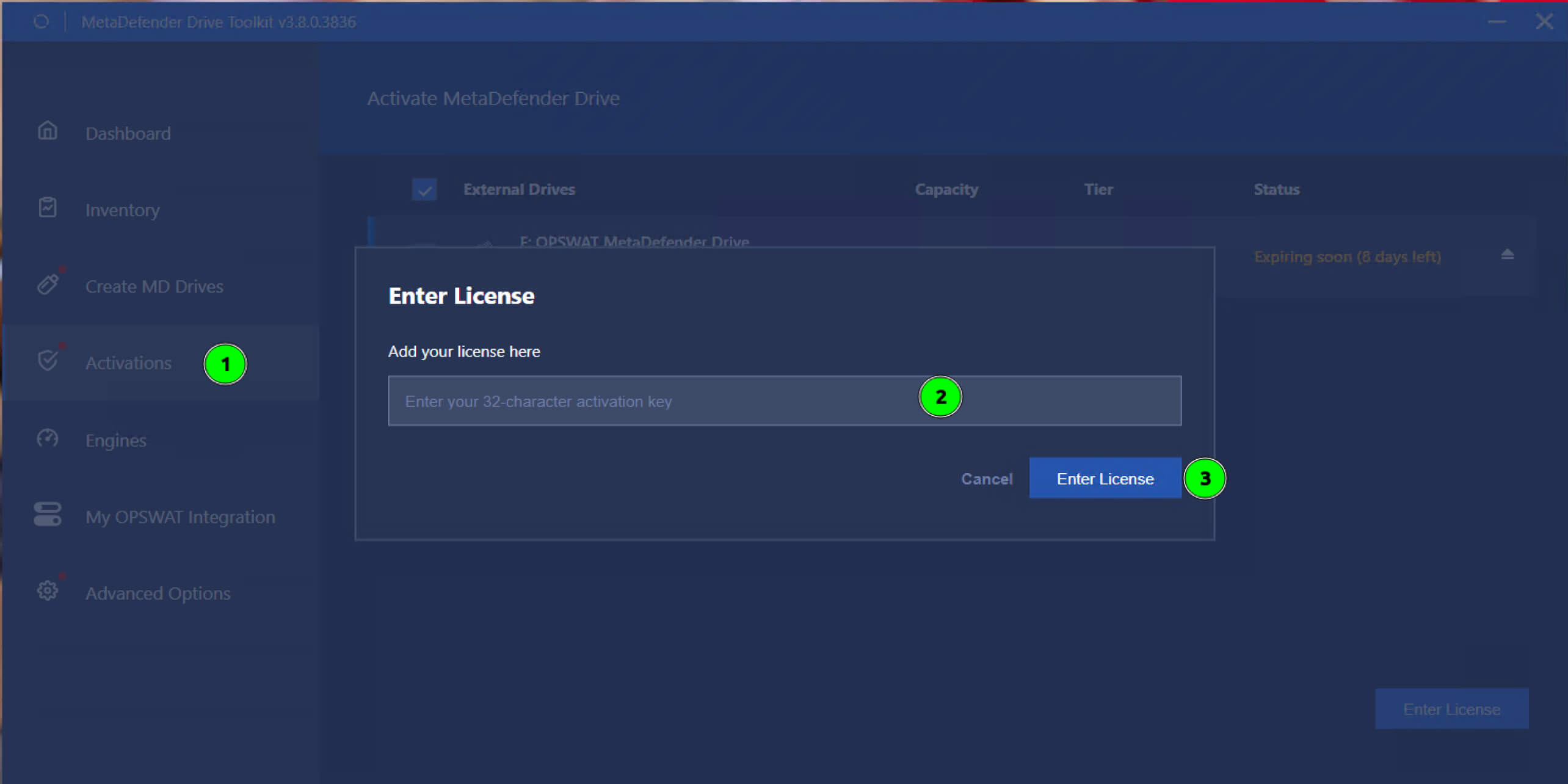
إعادة التنشيط عبرMetaDefender Drive
- افتح شاشة التنشيط.
- حددDrive MetaDefender Drive يحتاج إلى إعادة تنشيط.
- أدخل الترخيص الجديد وانقرعلى "إدخال الترخيص".
تفاصيل الإصدار:
- المنتج: MetaDefender Drive
- تاريخ الإصدار: 16 ديسمبر 2025
- ملاحظات الإصدار: تعرف على المزيد هنا
لتحديث MetaDefender Drive قم بتنزيل أحدث إصدار من MetaDefender Drive Toolkit واتبع تعليمات التثبيت.

