Air-gapped environments are designed to reduce exposure to external threats by limiting network connectivity. While isolation strengthens security, it can also make it harder to keep the security tools inside those environments up to date.
Malware scanning tools depend on current engines, signatures, and threat intelligence to detect new threats. In a fully air-gapped environment, updates often require a separate process and physical access. If those updates are delayed, the scanning tool may be inspecting today’s devices with outdated detection capabilities.
The Security Drawback of Network Isolation
Isolation reduces the external attack surface, but it can also delay security patches and signature updates, which are necessary for traditional defensive tools. In a fully air-gapped environment, every update to every security tool requires physical access.
In large OT facilities, the standard patch approval process alone, from vendor release to OEM verification to deployment, can take months. By the time an update reaches the tool, the threats it was designed to address have already evolved. The window between a new threat emerging and a verified update reaching an air-gapped scanning tool widens with each skipped update.
According to the IBM X-Force Threat Intelligence Index:
- 49% of vulnerabilities impacting OT environments are rated High or Critical
- 21% of Critical vulnerabilities already have publicly available exploit code at the time of disclosure
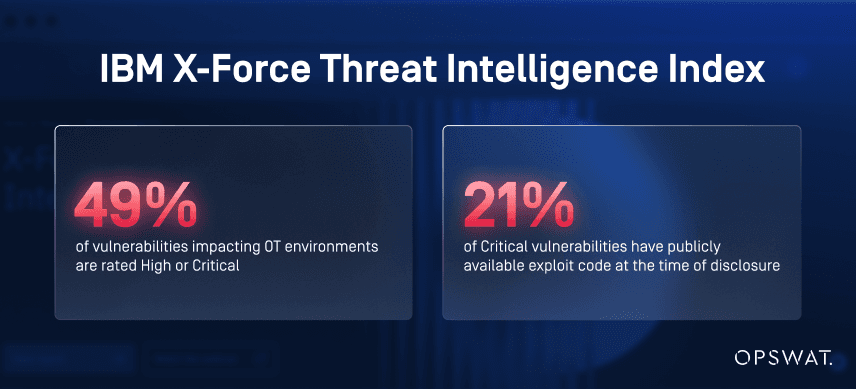
For air-gapped environments, this makes timely scanning tool updates critical to reducing the window in which emerging threats can go undetected.
Guarding the Production Line with Yesterday's Threat Intelligence
Most conversations about air-gapped security focus on what enters the environment, such as vendor devices, contractor laptops, firmware updates, and configuration files. The assumption is that if those items pass inspection, they are safe. But that assumption depends entirely on the quality of the inspection tool itself.
Traditional Scanning Tools Depend on Network Access and Workstations for Updates
With limited network connectivity in air-gapped environments, every update requires physical media or a separate workstation. Both paths require another process, an approval cycle, and time that operational schedules rarely accommodate.
Outdated Tools Miss Modern Cyberthreats
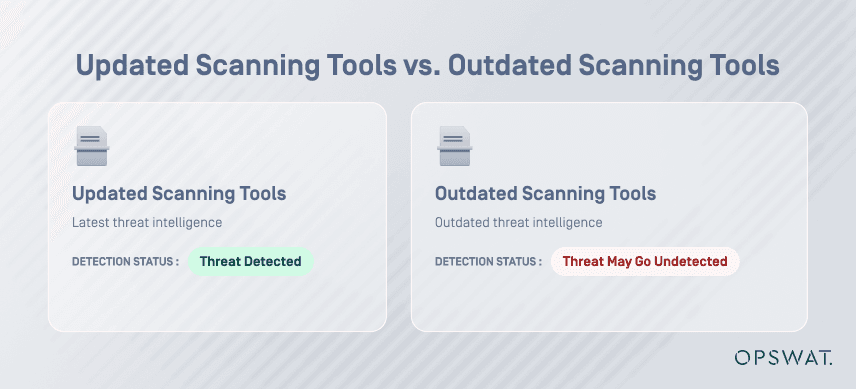
Traditional malware scanning tools rely on constantly updated signature databases, making them ineffective against emerging threats. A device in an isolated environment can carry recent malware that has no match in the scanning tool’s database. These scanning tools do not determine if a device is safe. It only detects if a device contains malware signatures it already knows about.
How to Address the Air-Gapped Update Problem
MetaDefender™ Drive with Smart Touch is designed specifically for this scenario. It operates as a fully standalone scanning device inside air-gapped environments, with no dependency on external network connectivity to maintain its detection capability.
Keep Threat Detection Current Without Compromising Isolation
When Wi-Fi or cellular connectivity becomes available, MetaDefender Drive with Smart Touch automatically updates its engines and signatures from the device and syncs the scan report to My OPSWAT Central Management once the scan is complete. In environments with no connectivity, updates and management synchronization can be performed via MetaDefender Kiosk, which serves as a secure bridge between the isolated environment and centralized security management.
Ensure Network Isolation and Control During Scans
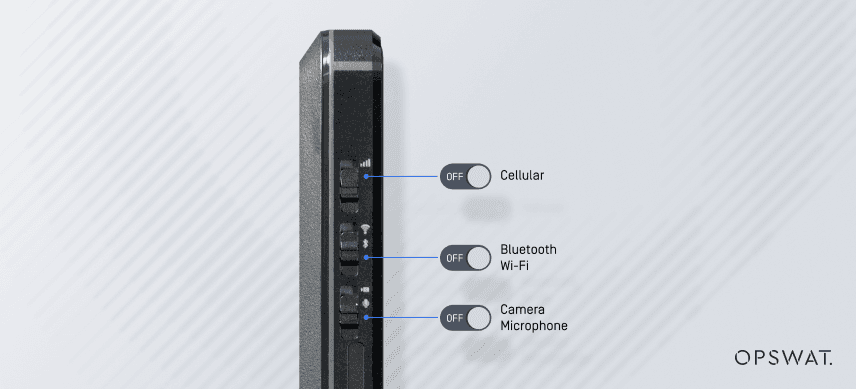
With three built-in physical kill switches to cut off Wi-Fi, Bluetooth, cellular, and camera access entirely during scans, MetaDefender Drive with Smart Touch eliminates the risk of network exposure during inspection. This physical isolation prevents reintroducing the risks that the air gap was designed to prevent.
Centralize Scan Reports and Device Access Decisions
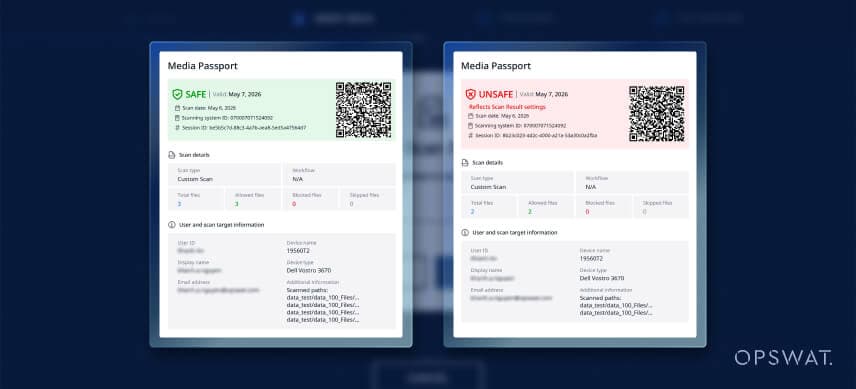
Scan session summaries synced via MetaDefender Kiosk generate and distribute compliance-ready reports for auditing and device access approvals. The process can be configured to be fully automated, eliminating the need for manual documentation. This workflow helps security and operations teams share scan evidence directly via MetaDefender Kiosk for review, approval, and audit.
For air-gapped environments, keeping scanning tools up to date is just as important as maintaining network isolation. MetaDefender Drive with Smart Touch addresses both requirements through flexible online and offline updates, physical network controls, and centralized scan reporting. This allows security teams to maintain current threat detection capabilities while preserving the isolation of their critical environments.
Learn how MetaDefender Drive with Smart Touch fits your critical infrastructure environment.